1. Introduction
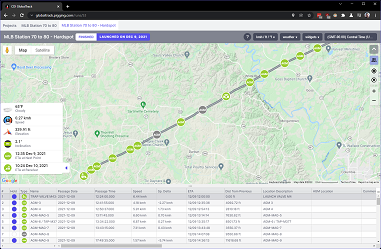
CDI’s GlobalTrack is a comprehensive online web service that provides real-time remote pipeline pig tracking, event notifications, job scheduling, inventory management, and highly automated, customizable, and attractive reporting.
While GlobalTrack works best through automated input from CDI’s tracking equipment over cellular or satellite services, the system is hardware-agnostic and can be used equally well with manual tracking sheet time input.
1.1. Autonomous Use
In autonomous mode, GlobalTrack takes pipeline pig passage triggers from a variety of field devices, most notably CDI’s Qube AGM. These tool passage times are automatically entered into the tracking sheet, and often include a wealth of information such the trigger types, passage recording data, GPS time and position and more.
1.2. Manual Use
When used manually, GlobalTrack takes input from users in the form of passage times. These passage times are entered into GlobalTrack’s tracking sheet in the same manner that many pipeline tracking crews currently
Up to three pigs can be tracked simultaneously in a pipeline and there is no limit to the number of users that can log into GlobalTrack and watch the progress of a run.
Once runs are complete, GlobalTrack can generate PDF reports which include a rich set of information such as site sketches, photographs, comments and notes.
2. Fundamentals of GlobalTrack
Note
This product documentation assumes a high degree of familiarity with pipeline pig tracking and the equipment and methods used.
GlobalTrack’s simulation of the movement of a pig through a pipeline is driven by the time input of real-world events. There are many types of events that can drive GlobalTrack’s simulation, but the two most common are:
Manual user input of pig passage time via GlobalTrack’s tracking sheet
Automatic input from internet-connected field devices using cellular or satellite communications
2.1. Projects
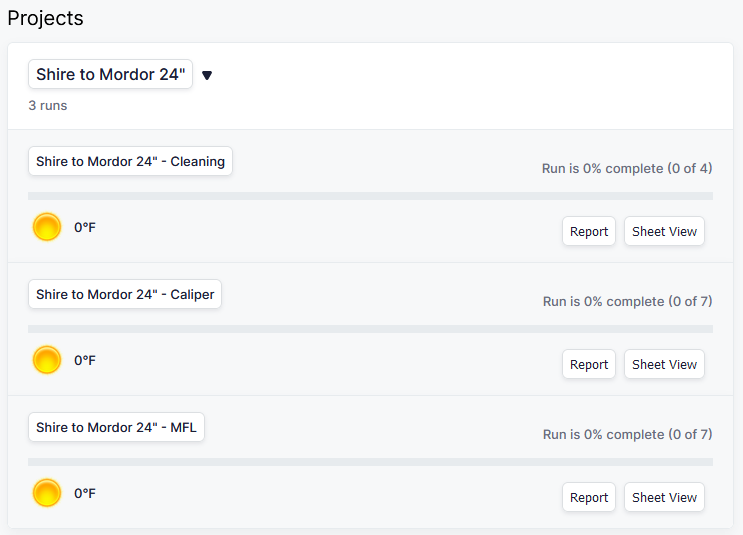
In GlobalTrack a Project is a simply container for one or more Runs of any type.
For instance, a Project may consist of one cleaning run, one caliper/geometry tool run and one inline inspection (ILI) tool run.
A Project is given a name, which is usually the same name that you use to refer to the pipeline in day-to-day conversation. For instance if the pipeline is normally referred to as Shire to Mordor 24 inch then you might name the Project that as we see in this example:

Notice that in this example the Project contains three individual Runs, but it could contain more or fewer.
2.2. Pipelines
A Pipeline in GlobalTrack is the route of that the real-world physical pipeline takes over or through the ground. The geometry of the pipeline is typically imported into GlobalTrack as a KML file. For more information on importing Pipelines, see the section on Importing and Exporting.
Once created and assigned to a Project, a Pipeline may be reused any number of times in the future to have new Runs performed on it.
2.3. Runs
A Run in GlobalTrack is the simulation of a pig through a Pipeline from its launch point to its receive point.
GlobalTrack can simulate and display up to three pigs being run in a pipeline simultaneously.
Note
For the purposes of deducting Runs from your Credit count, each pig in a pipeline counts as a separate Run.
2.4. People
People in GlobalTrack are simply stakeholders on the Project or Run.
GlobalTrack has a database of people that you can assign to Runs, however, if a person does not exist in the database yet, GlobalTrack provides a simple invitation system. By inviting a user they will receive a link via email which they may click on to accept the invitation.
Once an invitation is accepted, the user can be assigned to any number of runs indefinitely.
You can control who can see which Runs and Projects through the use of roles.
2.5. Assets
Assets are pieces of equipment that are added to GlobalTrack’s database.
Most often, an asset is a piece of pipeline pig tracking equipment such as an Above Ground Marker (AGM) or geophone receiver.
Adding equipment to the GlobalTrack database and assigning it for use on a Project is helpful when scheduling equipment, but is necessary when equipment is transmitting automatic passage times to GlobalTrack. GlobalTrack uses the association of an asset being assigned to a Run to know which tracking sheet to insert the passage time into.
Note
For more information on what equipment can automatically sent data to GlobalTrack, contact CDI.
2.6. The Map
The Map is largely self-explanatory - it displays the Run simulation, the location of the AGM or tracking points, the current location of the pipeline pig and more.
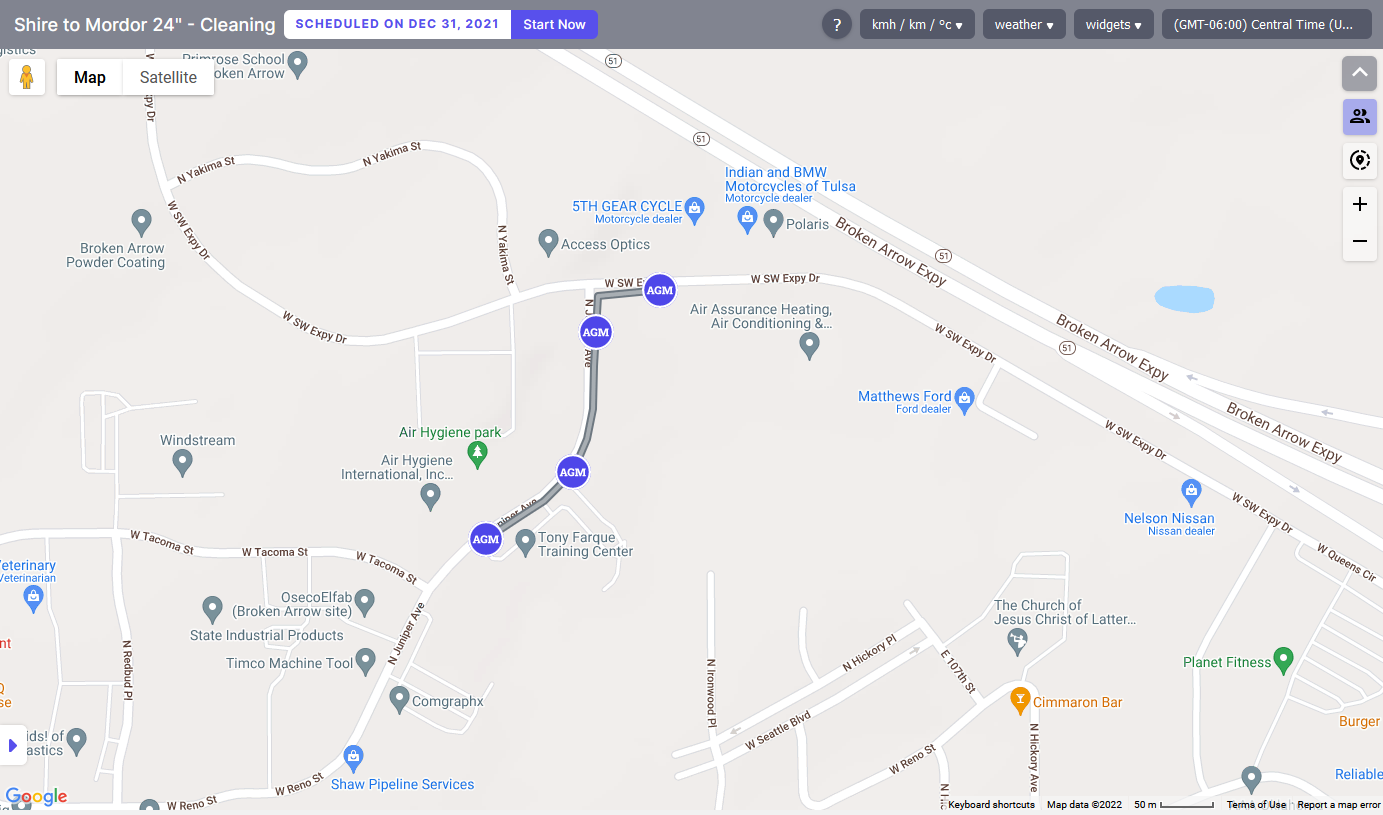
CDI has elected to use Google Maps as our map provider. This provides consistency with the tools and imagery that most pipeline operators and pig trackers are familiar with.
Most of the in-map movement and tools that you have used with Google Maps in your browser are also available in GlobalTrack. You can scroll, pan, zoom and change between map and satellite views. You can even use Street View to watch a pig passage from ground level.
2.7. The Tracking Sheet
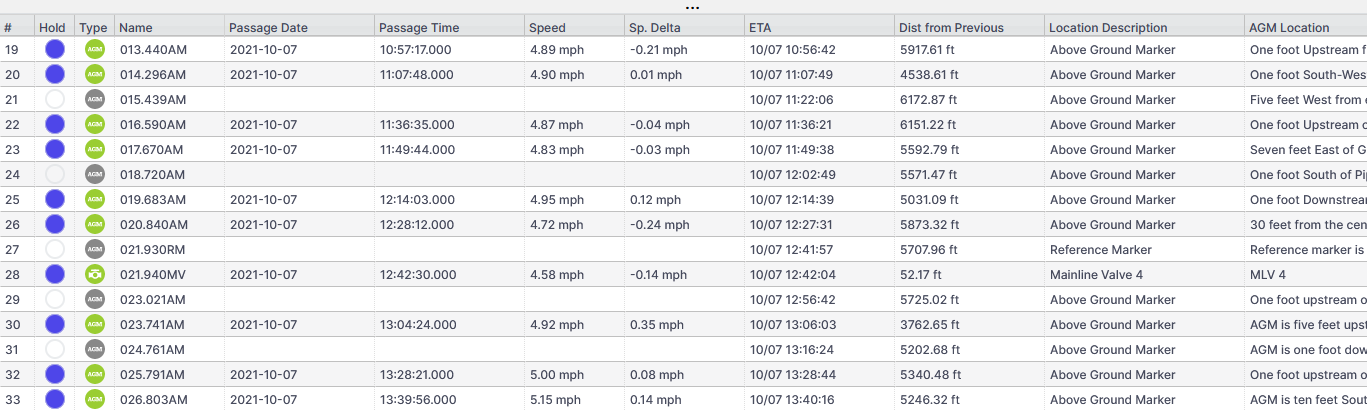
CDI GlobalTrack’s tracking sheet is deliberately similar to the tracking sheets that most of our customers have used to track pipeline pigs. The look and feel is that of a standard spreadsheet.
For manual entry, pig passage times are made by clicking into the time field and typing the time of passage. This action causes GlobalTrack’s simulation to update.
For automatic entry, hardware devices such as CDI’s Qube AGM transmit the passage time over the internet and the simulation updates without user intervention.